
Energy
Overview of energy consumption, power, costs, and CO2e in the Energy app.
Overview
The Energy section provides a workspace-level view of energy usage for monitored machines. It combines live power data, historical consumption trends, cost analysis, and CO2e estimates in a single landing page.
Use the filters in the top-right corner to refine the analysis:
- Time range to analyze a specific period.
- Shift to limit the data to a configured work shift.
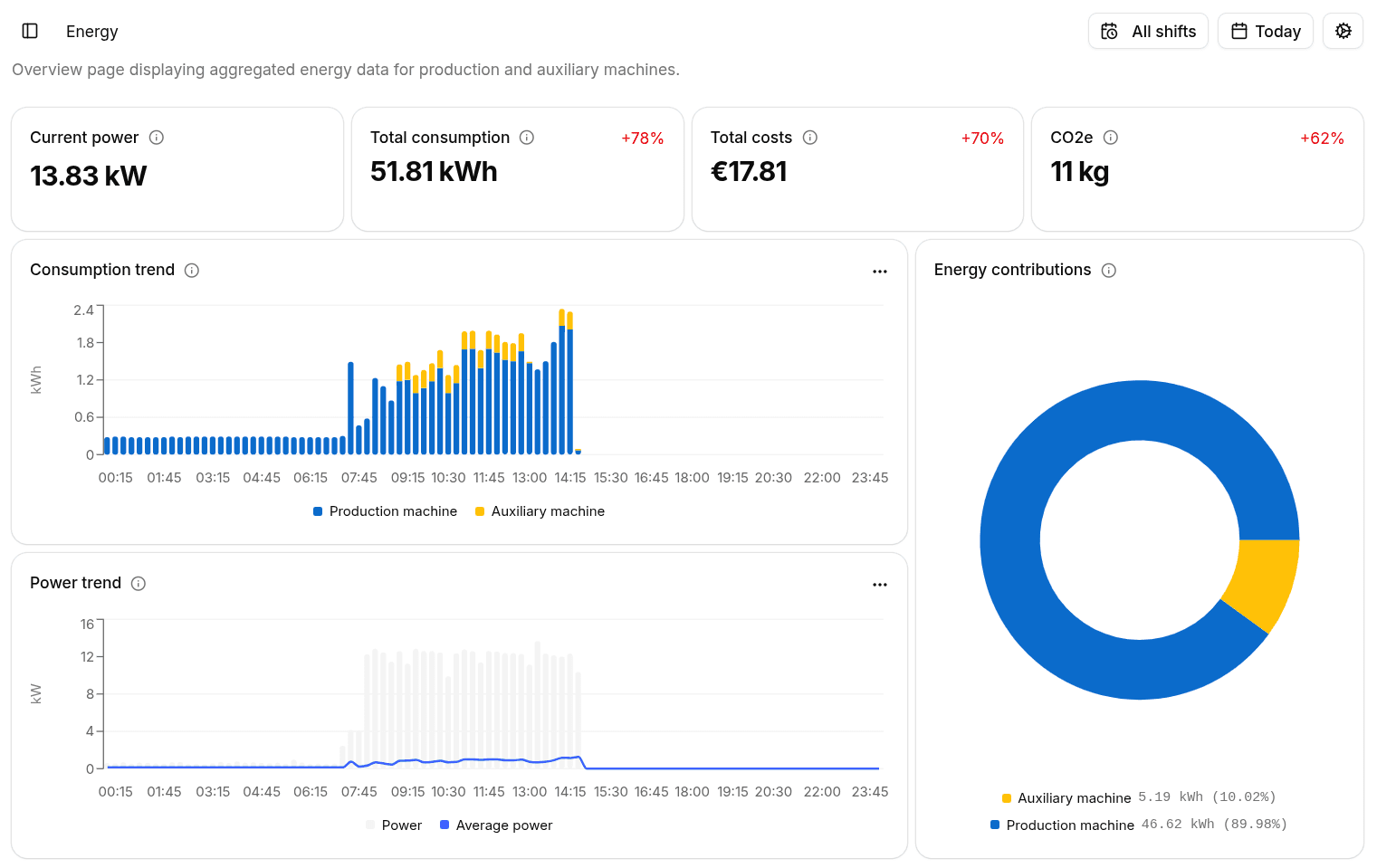
Summary KPIs
The header highlights the main indicators for the selected time range:
- Current Power shows the instantaneous power currently absorbed by the monitored machines, expressed in kW.
- Total Consumption shows the total energy consumed in the selected period, expressed in kWh.
- Total Costs calculates the monetary cost of the consumed energy using the tariff configured in Settings.
- CO2e shows the estimated emissions associated with the recorded energy usage.
For period-based KPIs, the delta compares the selected range with the previous equivalent period.
Trends And Distribution
The landing page includes three visual summaries:
- Consumption Trend shows how total energy consumption evolves over time, split between production and auxiliary machines.
- Power Trend shows the power envelope over time together with the average power trend.
- Energy Contributions displays the share of total consumption attributable to production and auxiliary machines.
Each chart can be exported as CSV for offline analysis.
Navigate To Asset Views
Use the dedicated subpages for a more detailed analysis: