
Machines
Machine list and machine detail pages in the Energy app.
Overview
The Machines subpage collects the energy data of all monitored production and auxiliary machines. From here you can open the detail page of each asset and, when available, inspect its advanced electrical parameters.
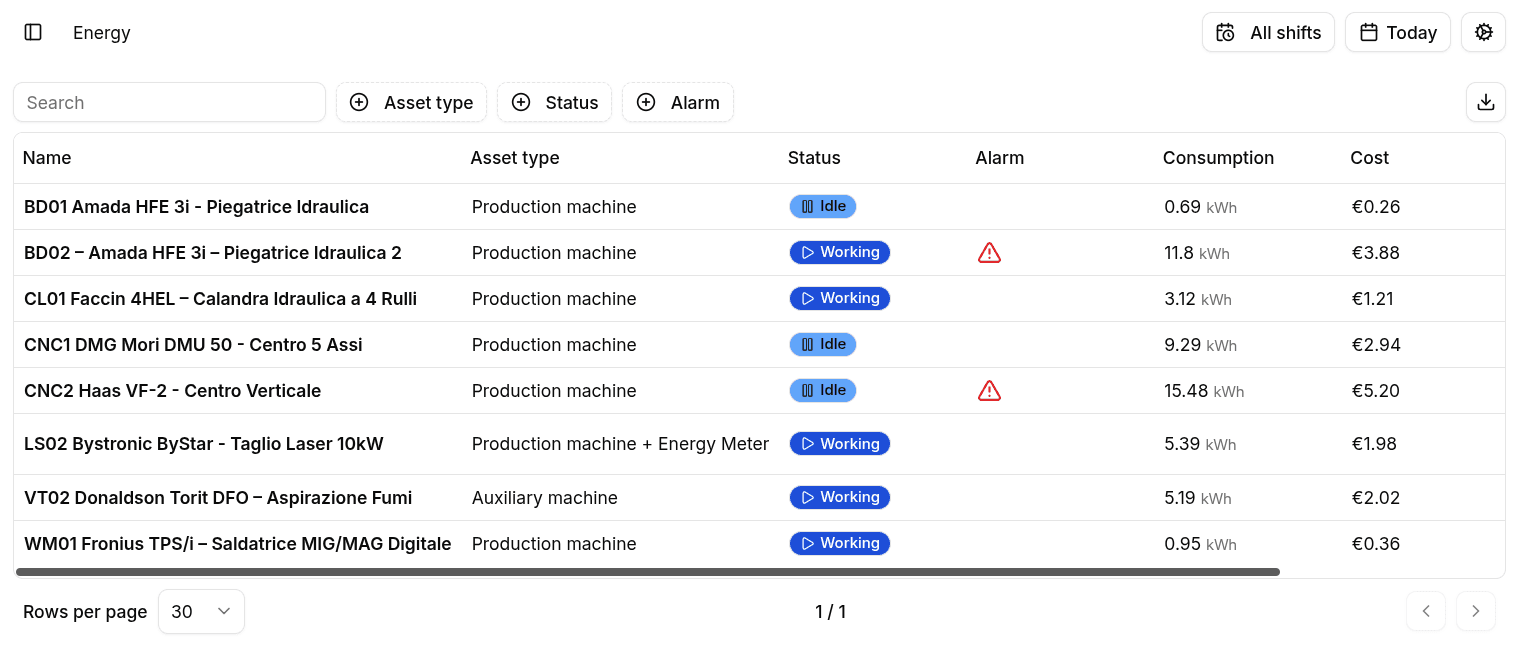
Machine List
The Machines subpage is presented as a searchable table.
Each machine entry includes:
- Name with direct navigation to the machine detail page.
- Asset type to distinguish production, auxiliary, and + Energy Meter variants.
- Current status shown as a status chip.
- Alarm indicator when one or more alarms are active.
- Consumption, Cost, and CO2e in the table view.
The table also provides filtering by asset type, status, and alarm presence, plus CSV export.
For machines equipped with an Energy Meter, the row actions include a shortcut to Advanced Parameters.
Machine Detail
Selecting a machine opens a dedicated detail page for the chosen time range and shift.
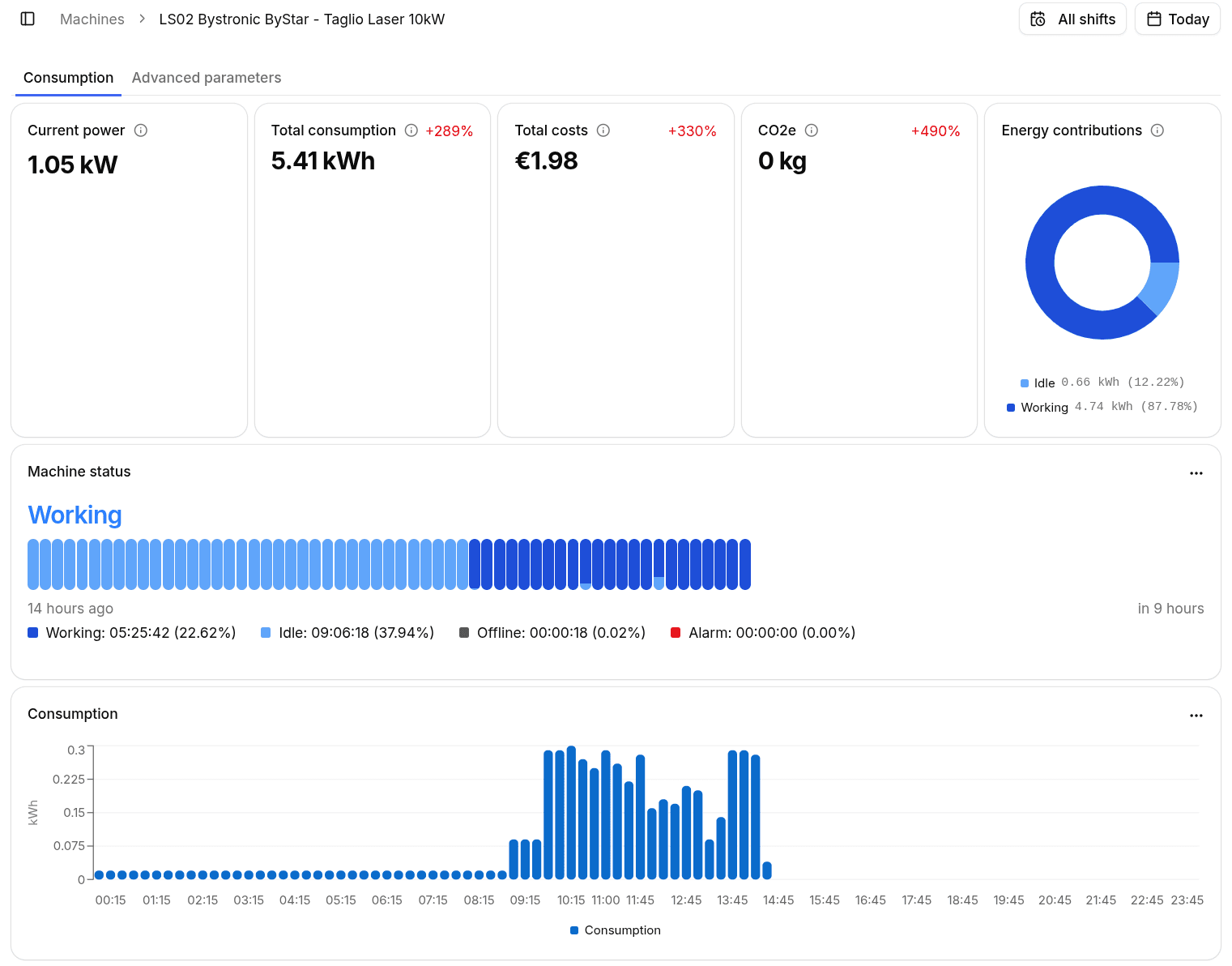
Main KPIs
The top section summarizes the machine energy performance:
- Current Power for the live absorbed power.
- Total Consumption for the energy used in the selected period.
- Total Costs based on the configured tariff.
- CO2e for the estimated environmental impact.
- Energy Contributions to split the machine consumption between Working and Idle states.
Machine Status
The Machine Status card shows:
- The current machine state.
- An alarm icon when alarms are active.
- A status timeline covering Working, Idle, Offline, and Alarm time.
- A legend with both duration and percentage for each state over the selected range.
Trend Charts
Two additional charts support the detailed analysis:
- Consumption shows the kWh consumed over time.
- Power shows the average absorbed power over time.
These charts also support CSV export.
Advanced Parameters
Machines connected to an Energy Meter expose an Advanced Parameters tab.
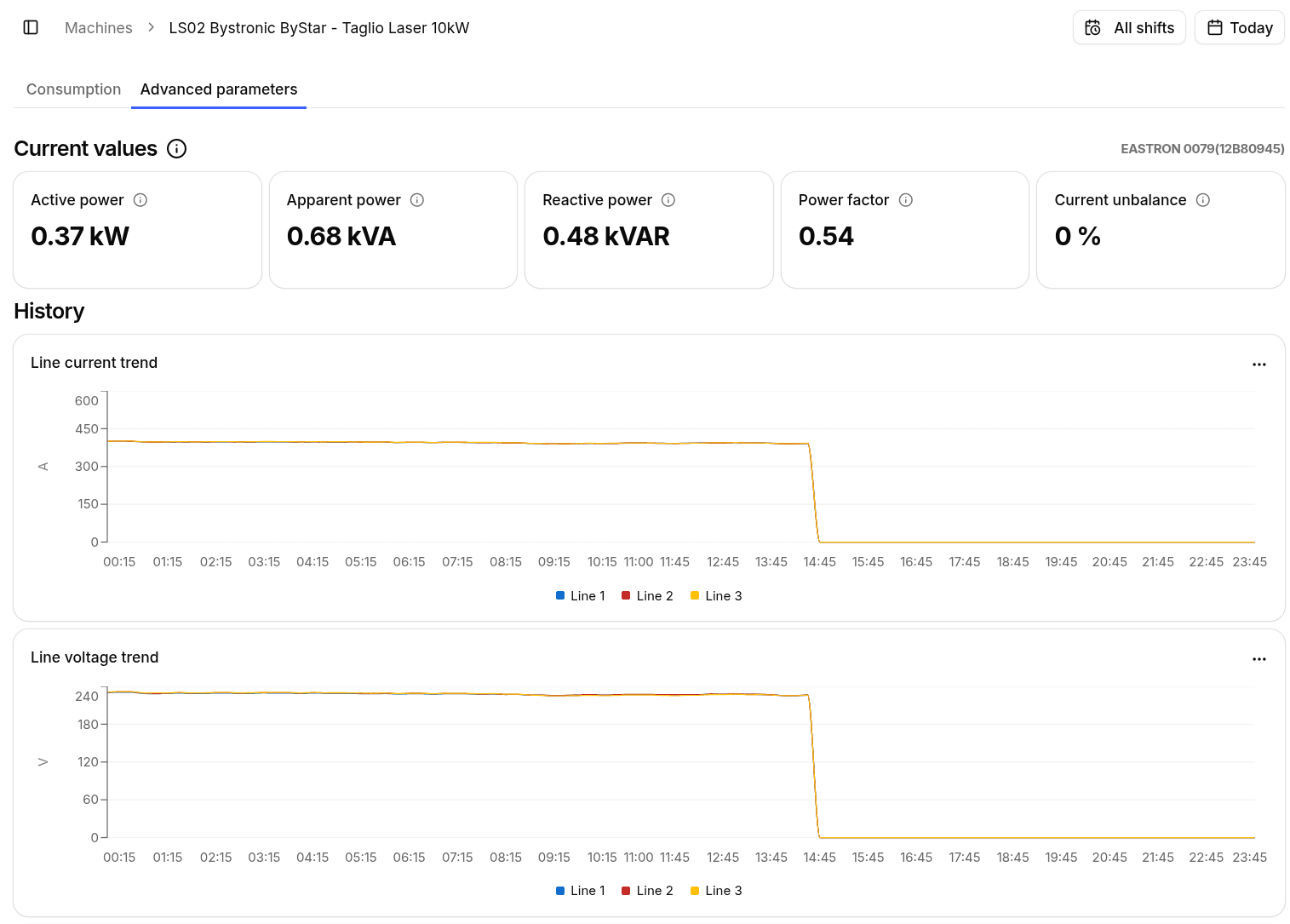
This tab includes:
- Current Values for active power, apparent power, reactive power, power factor, and current unbalance.
- Line Current Trend to compare the current on the three phases.
- Line Voltage Trend to monitor voltage stability.
- Powers Trend for active, reactive, and apparent power over time.
- Power Factor Trend with minimum, average, and maximum values.
- Advanced Parameters History with the recorded measurements in table form.
The meter manufacturer, model, and serial number are shown when available.